Website Chat Assistant
What is Website Chat Assistant? AI website chat assistant explained
ASAL's Website Chat Assistant is an AI chat widget for your website. It answers visitors' frequently asked questions using only the answers you have approved, asks for an email when a question needs a person (prices, quotes, custom work), and mirrors every live conversation to your team's Discord, where you can reply into the chat or take it over.
Visitors ask the same questions again and again: what do you do, how does it work, which platforms, how do I get started. A chat assistant answers them the moment they are asked, at any hour, so the visitor doesn't leave to look elsewhere.
The assistant only answers from a knowledge base you approve, built from your own website and FAQs. Every answer is checked against the same rules as our social replies: no prices it wasn't given, no promises, no invented numbers, no off-limits topics. When it doesn't know, it says so and asks for the visitor's email instead of guessing.
Your team sees every conversation live in Discord. Each chat appears as one card that updates as the visitor types. You can reply straight into the visitor's chat window, take the chat over so the assistant stops answering, hand it back, or close it. New enquiries ping the channel.
AI website chat assistant examples: Website Chat Assistant in action
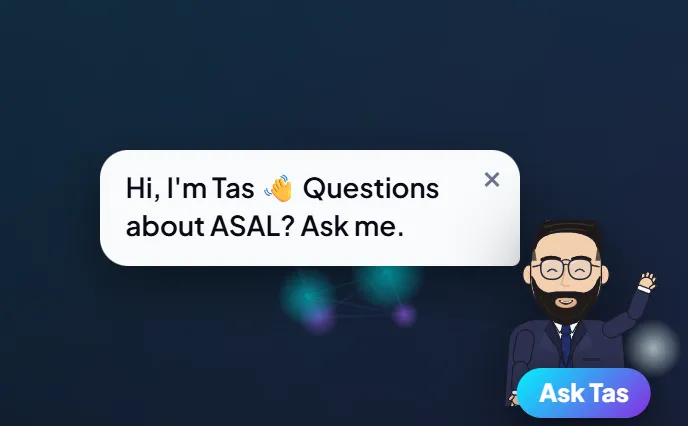
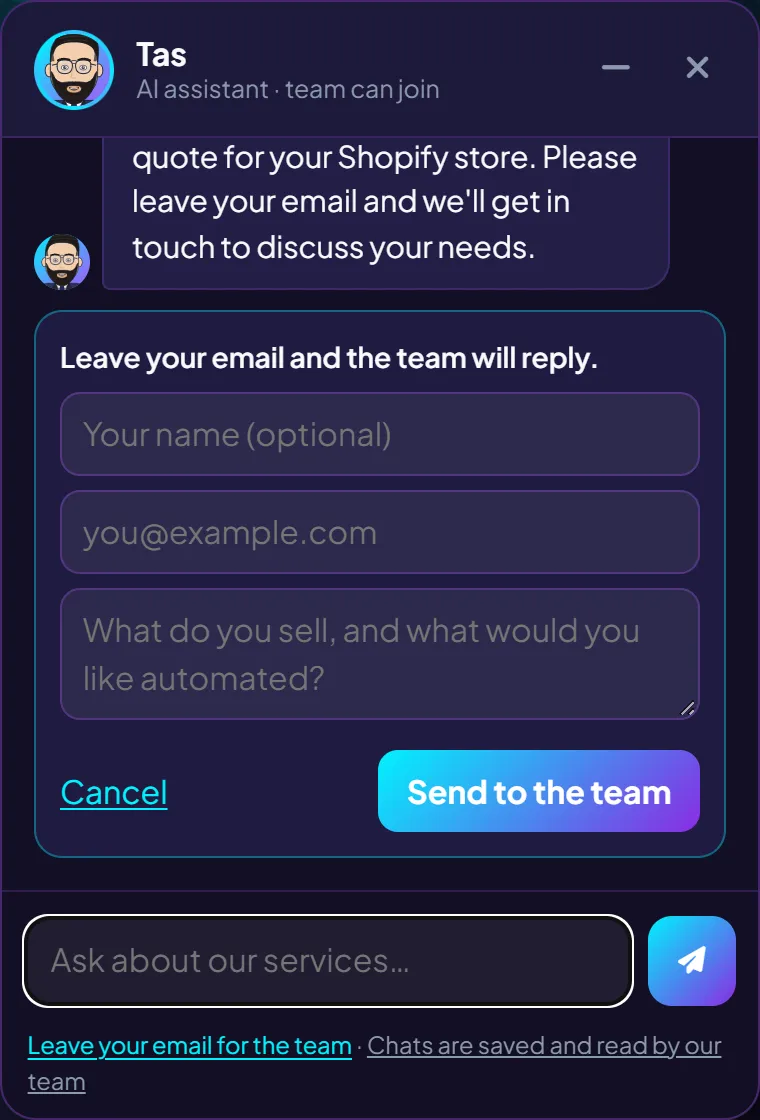
Real screenshots of Tas on asal.life.
AI website chat assistant specifications
| Answers from | Your approved knowledge base only (website pages, FAQs, service details) |
|---|---|
| Hands over when | A visitor asks for a price, quote, timeline or call, or the answer isn't in the knowledge base |
| Team view | Live chat cards in Discord with Reply, Take over, Hand back and Close buttons |
| Enquiries | Name, email and message captured in the chat and posted to your team |
| Safety | Rule checks on every answer, rate limits, spam trap, chats deleted after 60 days |
| Website | One script tag; works on any website, including static sites |
| Hosting | Runs on Cloudflare Workers alongside Approval Studio |
What's included in Website Chat Assistant AI website chat assistant
- The chat widget, styled in your brand colours
- A knowledge base written from your website and approved by you
- Live chat tracking in your Discord approvals channel
- Enquiry capture with an alert to your team
- Updates to the knowledge base when your services change
How AI website chat assistant works with Website Chat Assistant
Write the answers
We draft the knowledge base from your website and FAQs. You approve it.
Add the widget
One script tag on your site. It loads after the page, so it doesn't slow the page down.
Visitors ask
The assistant answers from your approved answers or hands over to your team.
Your team steps in
Reply into any chat from Discord, or take it over completely.
What you need to get started with AI website chat assistant
- Access to add one script tag to your website
- Your FAQs, or permission to draft them from your website
- A Discord server for your team (free), shared with Approval Studio
Services that work well with AI website chat assistant
Approval Studio
Comments, DMs and your website chatbot in one place, answered in your voice, with a human in charge.
Growth Studio
Profiles, tracking, SEO, a website chatbot and Meta and Google ads, every live change approved and logged.
E-commerce Automation
Abandoned-cart follow-up, a weekly sales report and a repeat-buyer CRM, built around your store.
AI website chat assistant support and approvals
- The assistant never invents an answer: anything outside the approved answers goes to a person.
- Your team can take over any chat at any moment.
- When your services change, the knowledge base is updated and the assistant follows it straight away.
Why choose ASAL for AI website chat assistant?
You can try it right now
Tas, the assistant on this website, runs on exactly this system.
Grounded, not guessing
It answers from your approved answers only, and hands everything else to people.
Part of one inbox
Website chats sit next to your comments and DMs, in the same approvals channel.
AI website chat assistant FAQ: Website Chat Assistant questions answered
Is the chat assistant on this site an example of the service?
Yes. Tas, the assistant in the corner of this page, runs on the same system we set up for clients.
Can the assistant make up answers?
It is instructed to answer only from your approved knowledge base, and every answer is checked against your rules before it is shown. When it isn't sure, it hands the chat to your team.
How does my team reply to a visitor?
Each chat appears as a card in your Discord channel. Tap Reply, type your message, and it appears in the visitor's chat window.
Will it work on my website platform?
It needs one script tag, so it works on most websites, including Shopify themes and static sites. We check your platform before we start.
How much does the Website Chat Assistant cost?
Pricing depends on your site and how many answers it needs to cover. Leave your email in the chat and we will send a quote.
Talk to us about AI website chat assistant
Tell us what you sell and which job you want off your plate. Tas can answer questions right now, or reach the team directly.